
Follow missions and Home briefs
See what each mission is doing from your iPhone or iPad. On Core and above, you can also receive morning and evening briefs from Home.
Skyflo for iPhone and iPad is in Preview and in App Store review, not yet available. Pair it with your Mac to follow missions and direct work from anywhere.
Start free. No card. macOS 14+.Agent subscriptions and model keys you bring are billed by their providers.
Pairing works on Free and paid plans. Agents run on your Mac or, on a paid plan, in Skyflo Cloud.
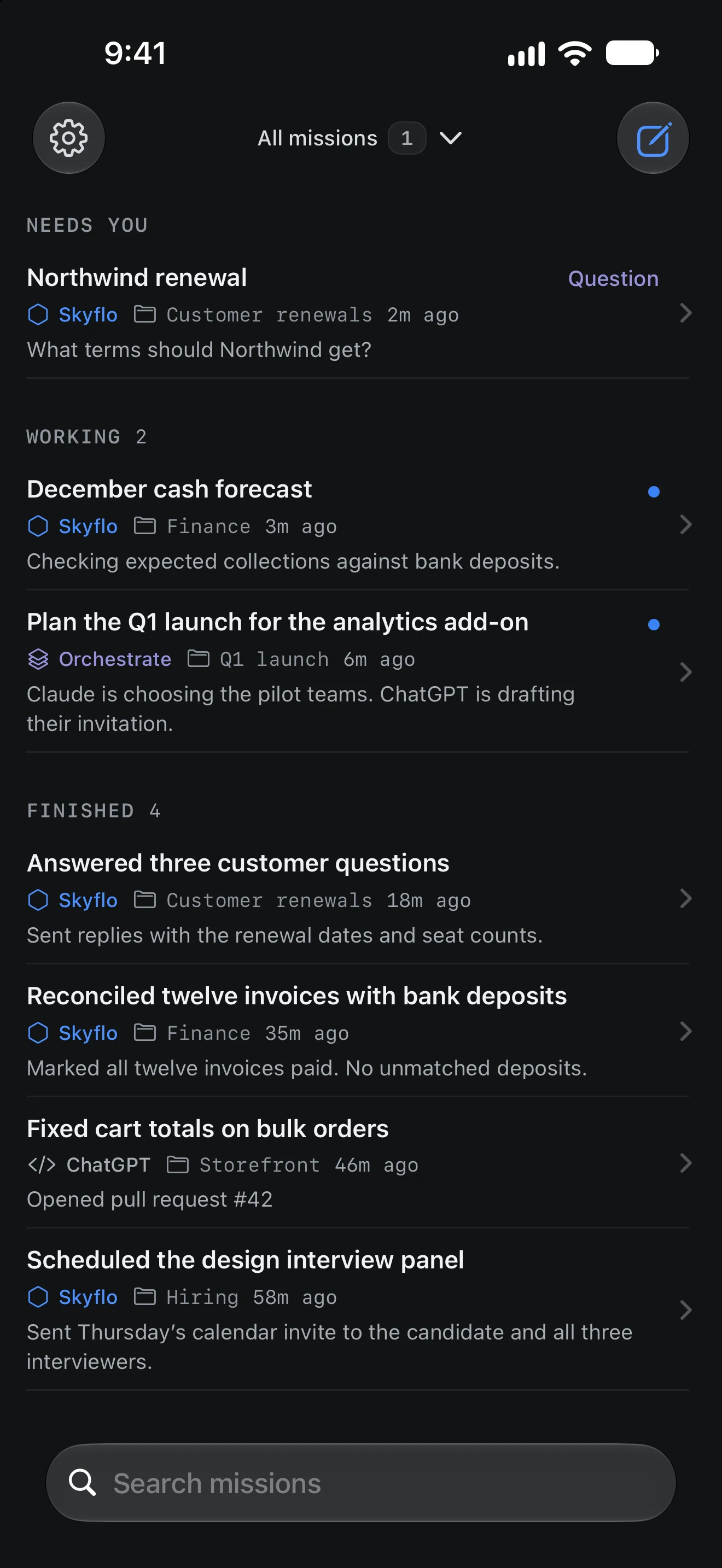
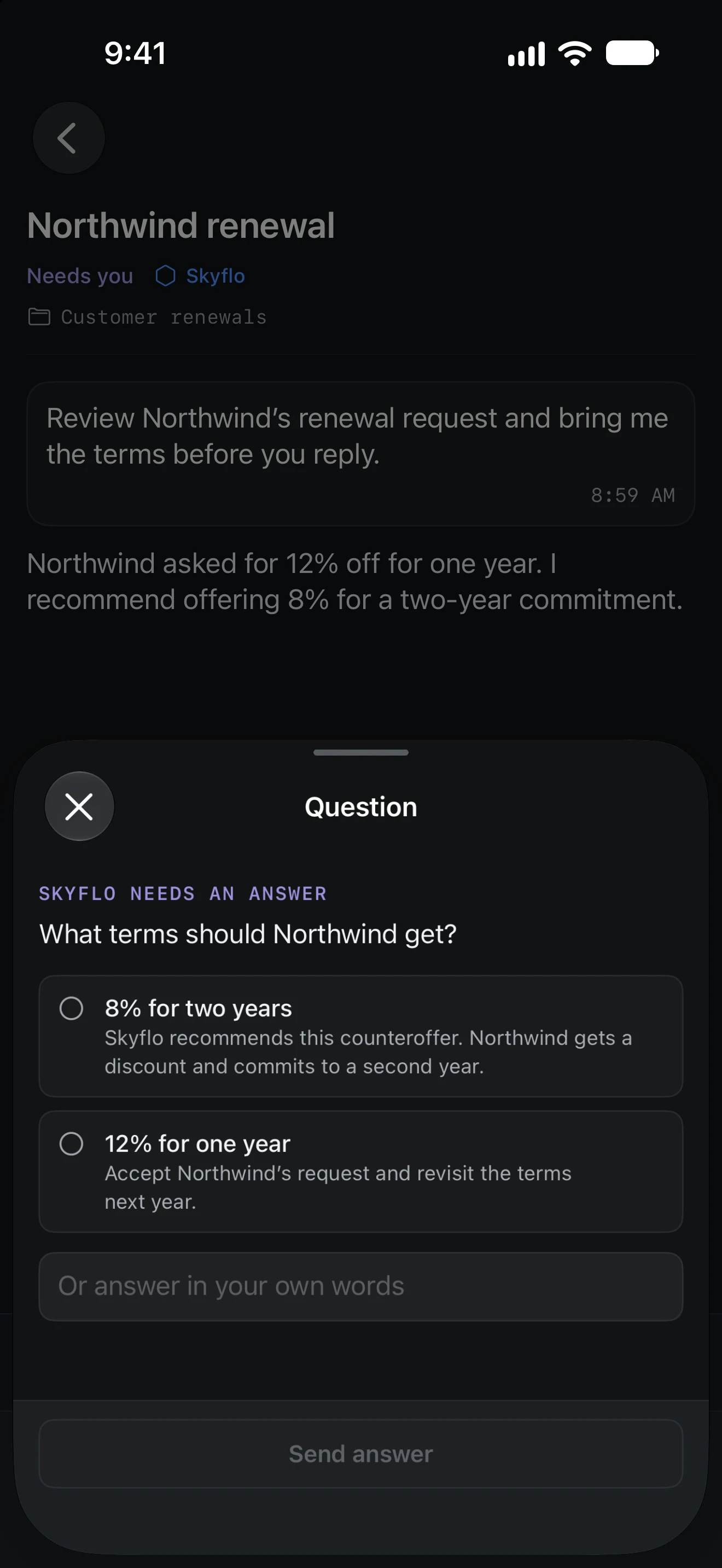
Skyflo for iPhone and iPad is a companion to Skyflo for Mac, currently in App Store review and not yet available. It requires macOS 14+ with Desktop 1.4.3+ and iOS or iPadOS 17+.
See what each mission is doing from your iPhone or iPad. On Core and above, you can also receive morning and evening briefs from Home.
Answer a question, send guidance or start a new mission on your Mac.
Your agents keep working on your connected Mac or, on a paid plan, in Skyflo Cloud while you follow along.
Your phone signs each approval for the computer running the mission to verify.
Pairing already ships in Skyflo for Mac under Settings and in the account console, ready for when the iOS app finishes App Store review.
On your iPhone or iPad, tap Link this device. The eight-character code expires in ten minutes.
Enter the code in Skyflo Desktop under Settings, Devices, Pair a phone, or at app.skyflo.ai/pair using the same account.
Unlink this device in the phone app's settings. Remove a paired iPhone or iPad in Desktop Settings. To revoke a Mac, use Devices in your account console.
Not yet. Skyflo for iPhone and iPad is in Preview and in App Store review, not yet available. No App Store download link is active while review is underway.
No. Agents run on your linked Mac or, on a paid plan, in Skyflo Cloud. On Core and above, you can also read Home briefs on your phone.
Follow progress, answer a question, approve an action or send new guidance to a running mission. You can also start a mission on your Mac.
No. Pairing works on Free and paid plans. Tap Link this device on your iPhone or iPad and enter the code on your Mac or in the account console.
Unlink this device in the phone app’s settings. Remove a paired iPhone or iPad in Desktop Settings. To revoke a Mac, open Devices in your account console. Read the iOS help guide.
Skyflo for iPhone and iPad is in Preview and in App Store review, not yet available. Download Skyflo for Mac to start running missions now.
Start free. macOS 14+, Apple silicon and Intel. Agent subscriptions and model keys you bring are billed by their providers.