The agentic operating system for your company

Delegate the work.Keep the oversight.

Hand real work to Claude Code, Codex and Skyflo's own agent.You set the limits. Skyflo keeps the record.

Book a team demo

Start free. macOS 14+, Apple silicon and Intel. Agent subscriptions and model keys you bring are billed by their providers.Plans and pricing

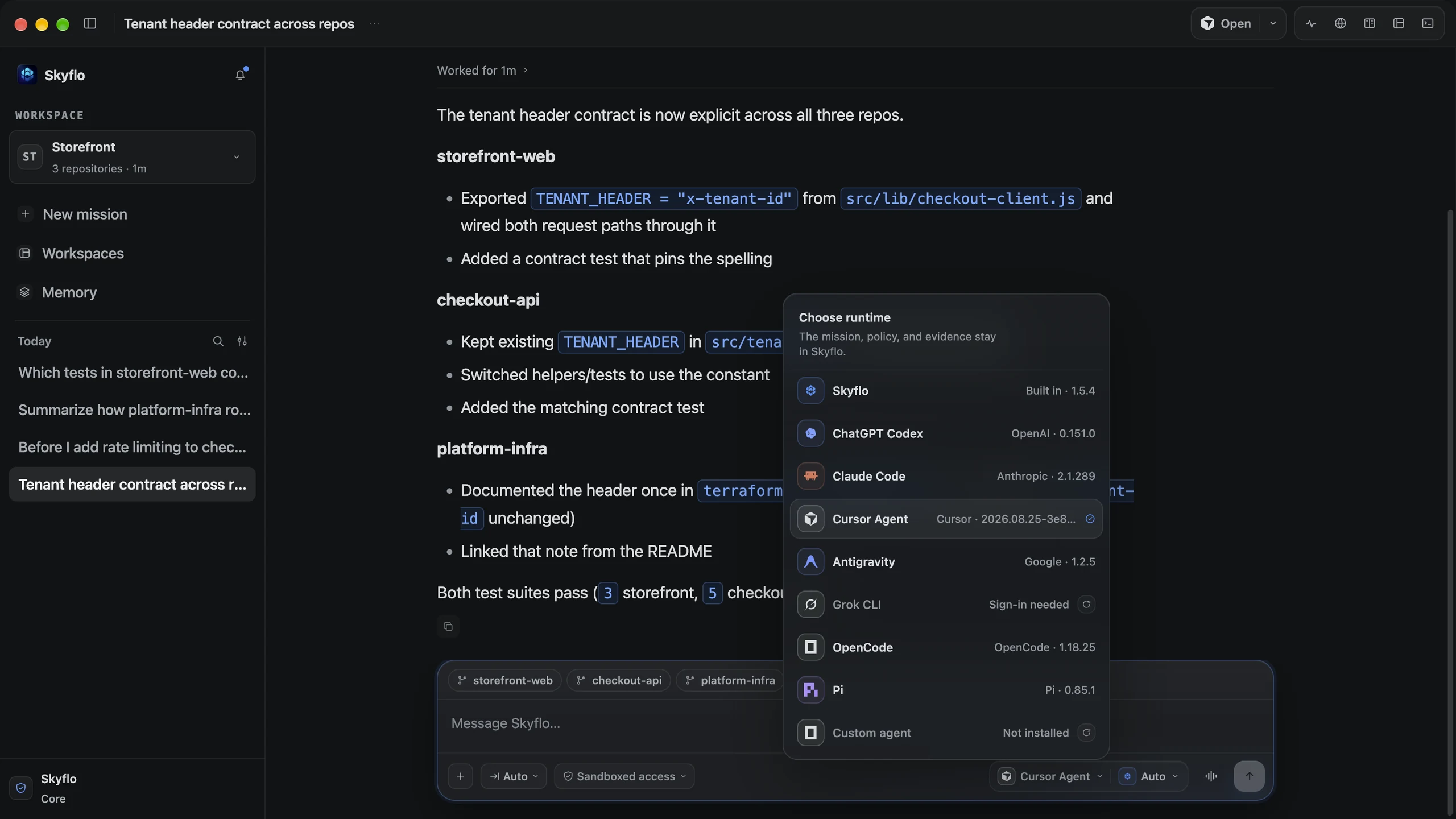
Skyflo Desktop on a finished mission across three repositories, with the runtime menu open: Skyflo, ChatGPT Codex, Claude Code, Cursor Agent, Antigravity, Grok CLI, OpenCode, Pi and a custom agent.
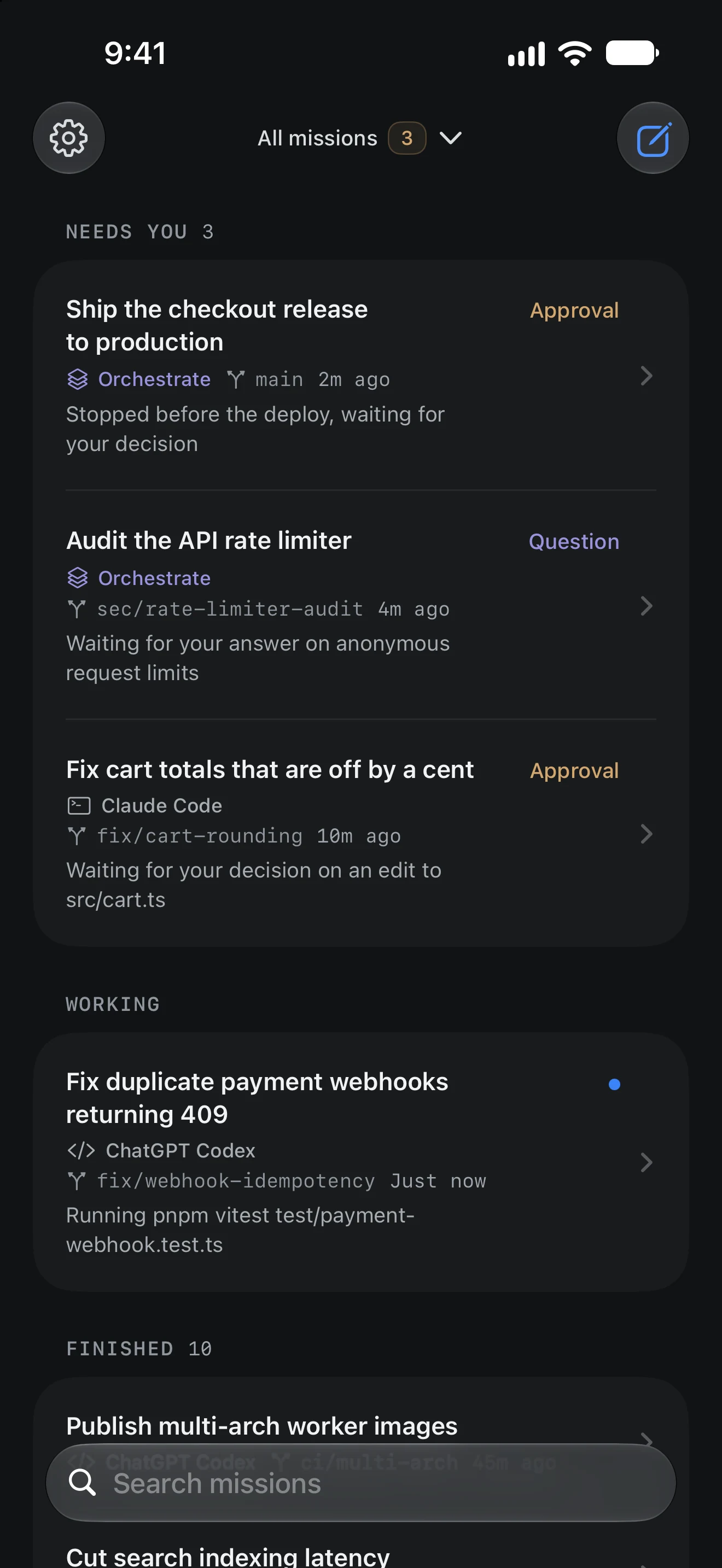
Skyflo for iPhone mission list: three missions need you (two approvals and a question), a Codex mission is working, and ten finished missions follow.

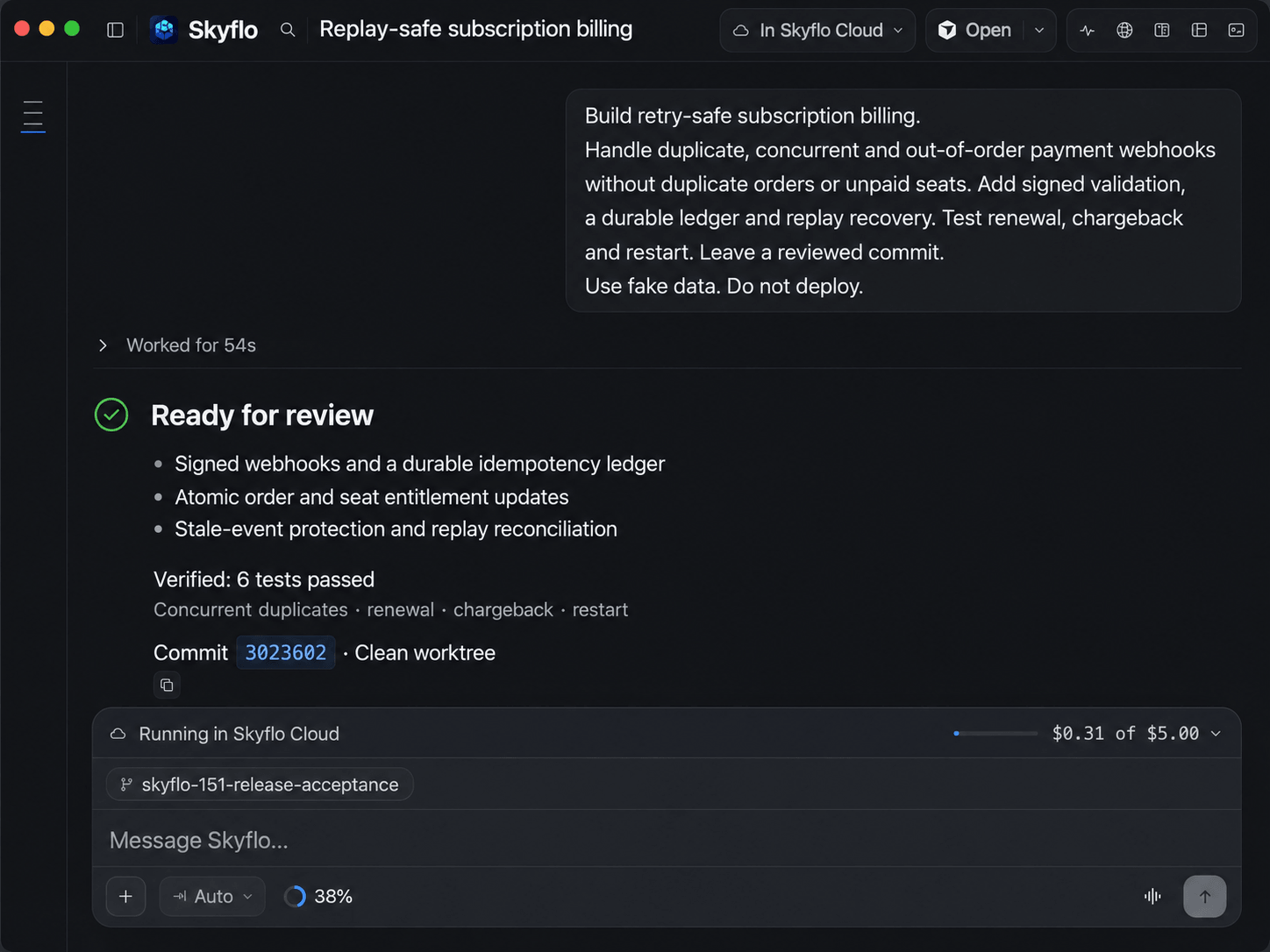
Skyflo for Mac. The iPhone app is a Preview, in App Store review.

  • Bring your agents
  • Bring your keys
  • Multi-repo missions
  • Per-mission access
  • Isolated worktrees
  • Append-only record
  • Revertible learning
  • Mac or Skyflo Cloud

Agents multiplied. The layer above them did not.

Codex on one task, Claude Code on another, Cursor on the front end. Each with its own permissions and its own log.

Codex
Claude Code
Cursor Agent
  • Its own task
  • Its own approval setting
  • The same working tree
  • A log that ends with the session
  • Its own task
  • Its own approval setting
  • The same working tree
  • A log that ends with the session
  • Its own task
  • Its own approval setting
  • The same working tree
  • A log that ends with the session

Skyflo is that layer. One place to hand out work, set the rules and see what happened.

Skyflo is a Mac app for running AI coding agents together: Claude Code, Codex, Cursor Agent and Skyflo's own agent, across your repositories, with your own model keys or the models a paid plan includes.

See the agents it runs

Try it yourself. Bring it to your team.

On their own
Each person tries agents alone, set up their own way.
With Skyflo
Each person starts free, and every mission leaves a record to show the team.
  1. Start on your Mac

    A personal AI companion for your own work. Give it a goal and run it with Claude Code, Codex or Skyflo's own agent.

    Free, no card

    Download for Mac
  2. Prove it on real work

    Every mission records what ran, what you approved and what changed. That record makes the case to your team.

    Append-only, on your Mac

    What a mission records
  3. Bring your team

    We plan the rollout with you, from a walkthrough of your own work to a pilot on your repositories.

    Team administrationPlanned

    Book a team demo

Choose the agent. Keep the mission.

On their own
A new agent means a new session, new permissions and a new log.
With Skyflo
Codex, Claude Code, Cursor Agent and four more work in one mission. Change agents; the mission and its record stay.
Skyflo Logo

Skyflo control plane

Holds the mission, whichever agent runs it

Mission state
Approval policy
Record + memory
Skyflo Logo

Skyflo

Skyflo's own agent

Codex

Claude Code

Cursor Agent

Antigravity

Grok CLI

OpenCode

Pi

One access mode for every agent
Each decision on the mission record
Agents keep their own sign-in
Outdated agent versions are refused

A custom ACP agent can join through a manifest file. Every external agent reaches Skyflo's tools over MCP, through the same approval path.

Bring your providers.

Add a Moonshot or Z.ai key and Skyflo's own agent uses it on any plan, Free included. The key stays in your Keychain and requests go straight to the provider.

Kimi K3

Moonshot · BYOK

GLM-5.3

Z.ai Coding Plan · BYOK

GLM-5.3-Flash

Z.ai · BYOK

GLM-5.2

Z.ai · BYOK

GLM-4.7-FlashX

Z.ai · BYOK

GLM-5V-Turbo

Z.ai vision · BYOK

A paid plan brings the models.

No provider key to bring. Core includes three of these models; Pro and Max include all five.

Paid plans also include Skyflo Cloud, where a mission keeps working while your Mac sleeps. Compare them on the pricing page.

Luna

OpenAI · efficient

Gemini 3.8 Flash

Google · balanced

Terra

OpenAI · balanced

Sol

OpenAI · frontier

Astra

OpenAI · maximum

Provider-direct and managed access remain separate.

Open models, same mission.

Through an external agent's own setup, such as Pi or OpenCode. Local models run through Pi with Ollama.

Mistral

Via Pi or OpenCode

DeepSeek

Via Pi or OpenCode

gpt-oss

Local via Pi + Ollama

Six building blocks. One mission you control.

On their own
Each tool handles permissions, isolation, review and memory in its own way.
With Skyflo
Six building blocks that every agent in the mission shares.

One access policy

Pick an access mode per mission, from Ask for approval to Full access. Every agent follows it, and each decision is recorded.

Three agents' lanes merging into one, with the mission at a lit amber gate.

Multi-agent dispatch

Skyflo's own agent, Codex, Claude Code, Cursor Agent and four more work in one mission, under one access mode.

The mission on a central hub, sending work along four lit channels to four agent modules.

Isolated Git worktrees

Each coding specialist gets its own Git worktree, so parallel changes never collide with each other or with yours.

One repository branching into three separate lanes, each carrying its own task.

Independent review

Preview

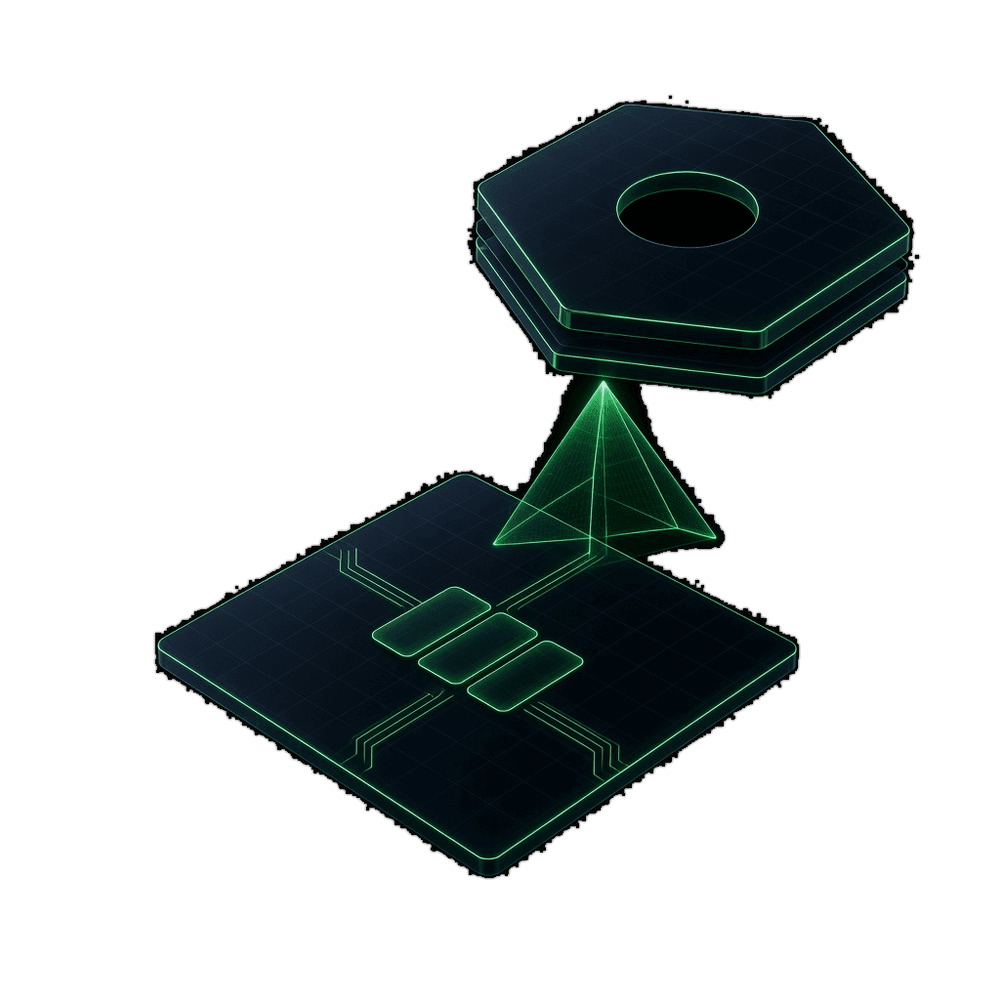
In Orchestrate, a separate reviewer checks the work. It cannot edit a file, and its findings go on the record.

A locked lens held above a change, reading one line without touching it.

Append-only record

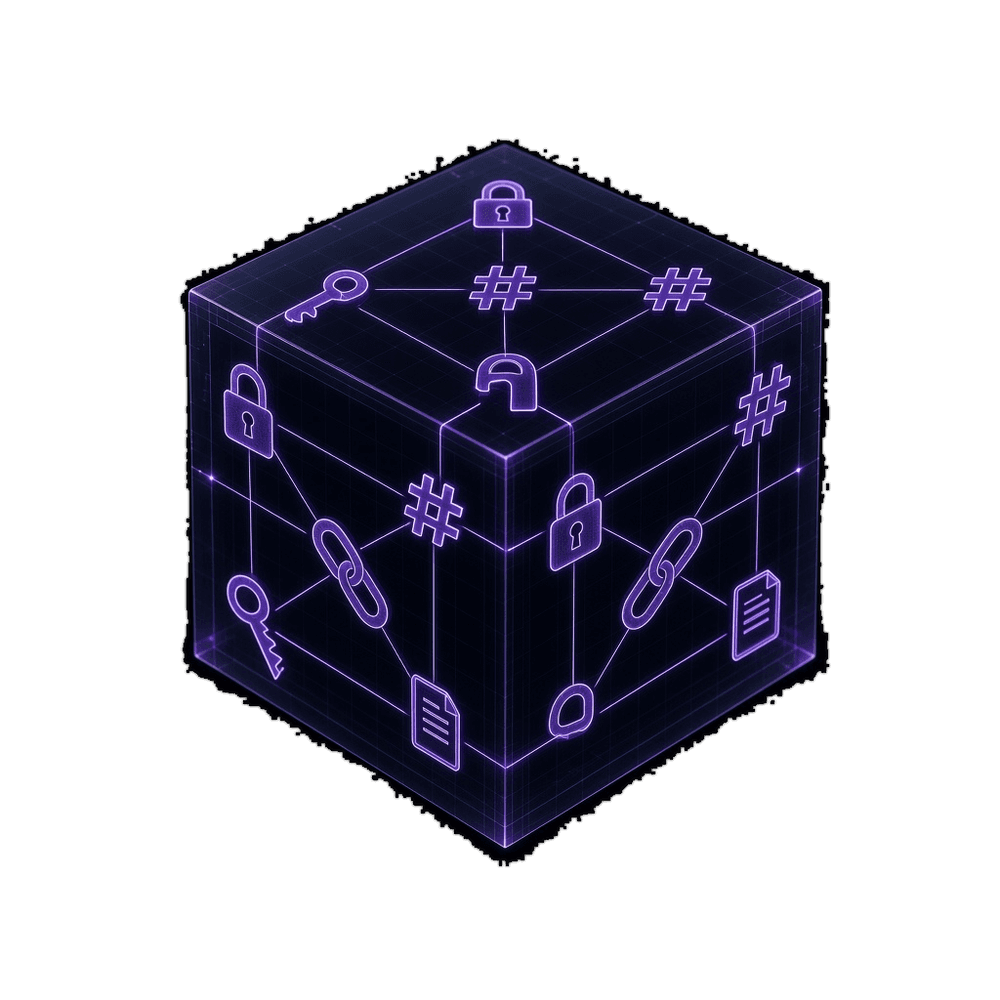
Every decision, tool call and finding is written on your Mac, each event hash-linked to the one before it.

Entries stacked one above another, each sealed and chained to the one below, with the newest on top.

Cross-mission memory

Conventions you state and commands that worked are kept with their source and recalled by the next mission.

An arc carrying a memory from one finished mission to the next one.

You decide how much each agent can do.

On their own
Each agent has its own permission settings, in its own terminal.
With Skyflo
One access mode per mission, for every agent in it. Each decision is recorded.

Access mode

Applies to every agent in the mission

Every command and edit stops and waits for you.

Edits in the workspace
Waits for you
Commands
Waits for you
Your Mac, network and connected tools
Confined to the workspace

New Auto missions start in Full access and Orchestrate starts in Ask for approval. Change it in the composer before you send.

Work mode

  • AutoCarries out the goal
  • PlanProposes first; you approve the plan
  • AskInvestigates and changes nothing
  • OrchestratePreviewSeveral agents on one mission
Preview

The reviewer cannot change the code it reviews.

On their own
The agent that made the change checks its own work.
With Skyflo
In Orchestrate, a separate reviewer checks the work. It cannot edit a file.

Specialist

Cursor Agent

Can write
storefront-websrc/lib/checkout-client.js
  1. import { request } from "./http.js";
  2. export const TENANT_HEADER = "x-tenant-id";
  3. export function placeOrder(cart, tenant) {
  4. const headers = { "X-Tenant-ID": tenant };
  5. const headers = { [TENANT_HEADER]: tenant };
  6. return request("/orders", { headers, body: cart });
  7. }

Reviewer

Added in Orchestrate

Read-only
  • file.readGranted
  • file.searchGranted
  • user.askGranted
  • agent.updateGranted
  • agent.reportGranted
  • Edit filesNot granted

Report attached to the mission

The header is one constant on both sides, and a test pins its spelling. Both suites pass: 3 storefront tests and 5 checkout-api tests.

What one mission learns, the next one can use.

On their own
Each agent keeps its own notes, in its own format.
With Skyflo
What the work proves is kept with its source and recalled next time.
Memory lineagePersonal · evidence-linked
Learn · mission local-042 · evidence attached · record drafted

Skyflo improves how it improves.

On their own
You pick the agent and model for every task by hand.
With Skyflo
Skyflo can change how it routes work, inside a boundary it cannot change.
  1. Learns and reuses

    Conventions you state and commands that worked become memory, linked to their source. A sequence proven in two of your repositories can become a Skill once approved.

    Task layer · memory and Skills

  2. Improves how it routes

    On Orchestrate missions, Skyflo can change how it picks the agent and model. A change is kept only if it wins on routes it never saw, and halted if it stops winning.

    Meta layer · routing, judged on held-out routes

  3. Cannot change itself

    Approvals, credentials, spending limits and kill switches are out of its reach. Only a signed release changes them, and every improvement can be reverted.

    Root layer · changed only by a signed release

Built for the company. Starting with engineering.

Software comes first because its results are easy to check. A test passes or it fails. Nothing about a mission is specific to code, and Skyflo will take on more of a company's work as agents earn it.

Agents run on your linked Mac unless you start or move a mission to Skyflo Cloud. BYOK credentials stay in the macOS Keychain.

Today

  • Skyflo's own agent plus seven coding agents, Claude Code and Codex among them
  • One access mode per mission, applied to every agent in it
  • An append-only record of every mission
  • Memory and Skills, each one revertible
  • A GitHub connection, on every plan
  • Skyflo Cloud on paid plans, so missions run while a Mac sleeps

Next for teams

  • Team administration and policyPlanned
  • Organization-wide shared memoryPlanned
  • Contracted security, deployment and support controlsPlanned

What this is, and what it is not.

How Skyflo runs a mission
What is Skyflo?

Skyflo is the agentic operating system for your company, starting with software. You give it a goal, and Skyflo's own agent or the coding agents you already use, like Claude Code and Codex, do the work under limits you set. Skyflo keeps a record of every mission and remembers what worked.

Who is Skyflo for?

Companies whose engineers already use AI coding agents, and the people who try it first: a developer, an engineering manager, a director or a CTO. Start free on your own Mac with the agents you have. Teams run it on each engineer's Mac today, and team administration is Planned. Run your first mission.

Does Skyflo replace the coding agents I already use?

No. It runs them: Codex, Claude Code, Cursor Agent, Antigravity, Grok CLI, OpenCode, Pi and one custom ACP agent, each on its own sign-in. You can switch agents between turns of one mission. Skyflo also has its own agent, which uses your Moonshot or Z.ai key or a paid plan's included models. Use Codex and Claude Code together.

How do I stay in control of what agents do?

Every mission has one access mode: Ask for approval, Auto-accept edits, Sandboxed access or Full access. It applies to every agent in the mission, and each decision is recorded. New Auto missions start in Full access, so pick Ask for approval to review each command and edit, or Plan to approve a plan first. You can stop a mission at any time and undo anything Skyflo learned. How access and approvals work.

Where does the work run?

On your Mac by default, in your repositories. Model requests go to the provider of the lane you choose: a signed-in agent, your own key, or a paid plan's included models. On a paid plan you can also run a mission in Skyflo Cloud, so it keeps working while your Mac sleeps. Missions there run on Codex or Skyflo's own agent; Claude Code missions stay on your Mac. See the plans.

Is Skyflo free?

You can start free with an account and no card. Free includes every supported agent, Skyflo's own agent with your key, missions, Orchestrate (Preview), memory, Skills, automations and the GitHub connection. Agent subscriptions and model keys you bring are billed by their providers. Core, Pro and Max add included models, Voice Mode and Skyflo Cloud. See the plans.

What does it mean that Skyflo is a HyperAgent?

Skyflo learns from the missions it completes, turns command sequences proven in two repositories into Skills, and can change how it routes Orchestrate missions. Approvals, credentials, spending limits and kill switches are out of its reach, and every change it makes to itself can be reverted.

Does one mission really span several repositories?

Yes, up to eight. You register the checkouts a change touches, and the mission works across all of them. Each coding specialist works in its own git worktree, so parallel changes cannot collide.

What does Skyflo record?

The objective, plan versions and approvals, every Skyflo tool call and permission decision, any reviewer's findings, and what was learned, with sources. The record stays on your Mac, append-only, each event hash-linked to the one before it. That catches corruption, gaps and reordering; it does not stop someone who can rewrite the whole store.

What does Skyflo remember?

What a finished mission taught, such as a convention you stated or a command that worked, linked to its source. Memory the evidence supports is kept; the rest waits for you. You can correct, remove or erase any record, or turn learning off. Organization-wide shared memory is Planned.

Is there a phone app?

Skyflo for iPhone and iPad is in Preview and in App Store review, so it is not available to download yet. Once paired, it follows your missions, answers their questions and approves or declines actions. Your Mac checks every decision before anything runs.

What does Skyflo offer teams and enterprises today?

Today each engineer runs Skyflo on their own Mac with their own agents and keys, and every mission keeps its record. We plan rollouts with you, from a walkthrough to a pilot. Team administration, organization-wide memory and contracted enterprise controls are Planned. Book a demo to see the current build run a real objective. Read the enterprise overview.

Looking for the Kubernetes agent? It is a separate Apache-2.0 project, deprecated since October 2, 2026, with its own pages and docs.

Start with one real goal.

Download Skyflo and give it something you need done this week. When it works, bring your team.

Start free, no card. Agent subscriptions and model keys you bring are billed by their providers. Paid plans add included models, Voice Mode and Skyflo Cloud.