
Coordinate the work.
Orchestrate gives specialists scoped work and can bring in an independent reviewer.
Bring Claude, ChatGPT and Cursor. Keep useful knowledge as you move between them.
Free account · No card · macOS 14+
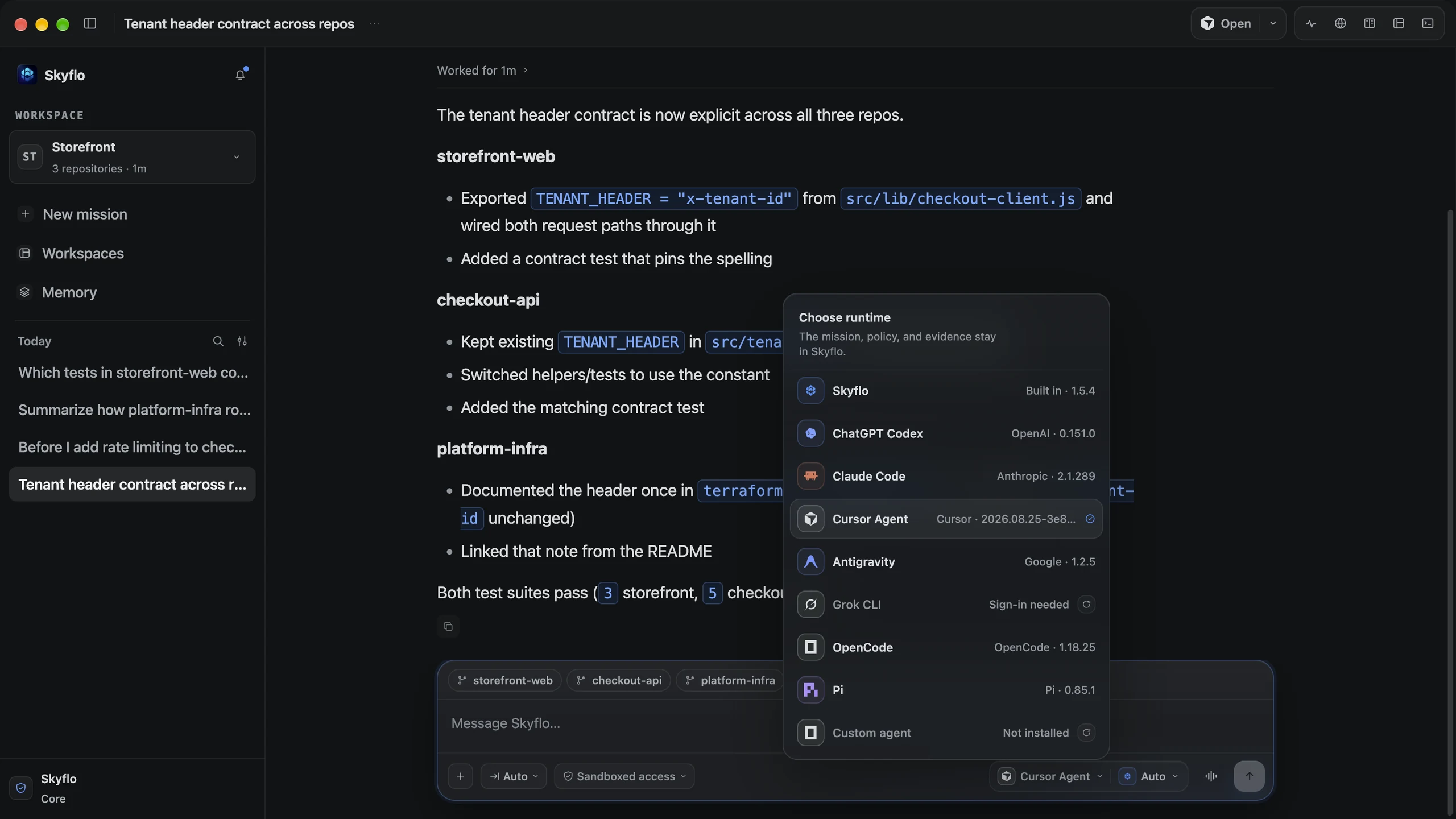
A real mission across three repositories. The result and its checks stay with the work.
Decisions and lessons from completed work can inform the next mission, even when you choose a different agent.
Example workflow · One project, two agents
 Work with Claude
A useful project decision emerges from completed work.

Skyflo keeps learned knowledge in scope. You can inspect what it retained.
 Continue with ChatGPT
The next mission can recall the decision to reuse the auth client.
Memory comes from work inside Skyflo and stays on your Mac. You control learning and recall. See how memory works
Skyflo is a HyperAgent. It learns from completed missions and can improve how it coordinates your agents.
Orchestrate gives specialists scoped work and can bring in an independent reviewer.
Proven routines can become Skills. Review them, then call them by name when you need them.
Inspect the sources, remove memory or revert a learned improvement. Skyflo cannot rewrite your permissions.
Use your existing local agents and their sign-ins. Choose a different agent when the work calls for it.

Start with the agents you already pay for. Add a plan when you want included models, voice or Cloud missions.
No card
Monthly plans
Agent subscriptions and model keys you bring are billed by their providers.
See plans and monthly pricesUse an agent already signed in on your Mac, or add a model key.
Double-click the .dmg, drag Skyflo into the Applications folder in the installer window, then eject the installer.
Signed and notarized by Apple
Activate with a free Skyflo account. Choose a supported agent already signed in on your Mac.
Or add a Moonshot or Z.ai key
Open a repository with ⌘O. Start a mission with ⌘N and ask for a small fix you can review.
One clear objective is enough
Apple silicon
Skyflo-1.7.5-darwin-arm64.dmg · 216.0 MB
a0ba085f73eab01f794afe7df9482ad775a2f1b306191979275352451735a980
shasum -a 256 ~/Downloads/Skyflo-1.7.5-darwin-arm64.dmg
Intel
Skyflo-1.7.5-darwin-x64.dmg · 224.2 MB
63569f130c5c3afc642bdd76ee26ddc5bfeefa83b3933603a8e137fe33205b5f
shasum -a 256 ~/Downloads/Skyflo-1.7.5-darwin-x64.dmg
The output should match the digest for your chip.
Every supported agent, Skyflo's own agent with your Moonshot or Z.ai key, missions, Orchestrate, memory, Skills and automations. Managed model access and Voice Mode come with a paid plan. See the plans.
Relevant learned decisions, preferences and lessons from work inside Skyflo can inform later missions. Memory is scoped to your project or you. Switching a conversation between agents can also share its history, with your consent. Skyflo does not import all your chats from other apps. How memory works.
On your Mac. You can inspect its sources, remove entries and turn learning or recall off. Recalled knowledge can be sent to the model provider you choose. Cloud missions do not take your Mac's memory, and manually added memory entries are currently saved but not supplied to tasks.
Your existing agents run locally with their own access. Paid plans also support Cloud missions with ChatGPT or Skyflo's own agent. Claude and other local agents still need your Mac awake.
Yes, a free one, to activate the app once. After that, local work keeps going while you are signed out.
You can start with a supported agent and the access you already have. Agent subscriptions and model keys you bring are billed by their providers. A Skyflo plan adds included models, Voice Mode and Cloud; it does not replace those provider subscriptions.
The getting-started guide walks through your first mission. The support page covers common fixes and how to reach us. Open support.
Start with one repository and an agent you know. Shared memory and learning are included in Free.
Free account · No card · macOS 14+


