


Free
No card
- Every supported agent, on its own sign-in
- Skyflo's own agent on your Moonshot or Z.ai key
- Missions, Orchestrate and access modes
- Memory, Skills and automations
Available for macOS
Run Claude Code, Codex, Cursor and Skyflo's own agent on real work, from one Mac app. Free to start.
Free account requiredNo card neededmacOS 14 or laterApple silicon and Intel
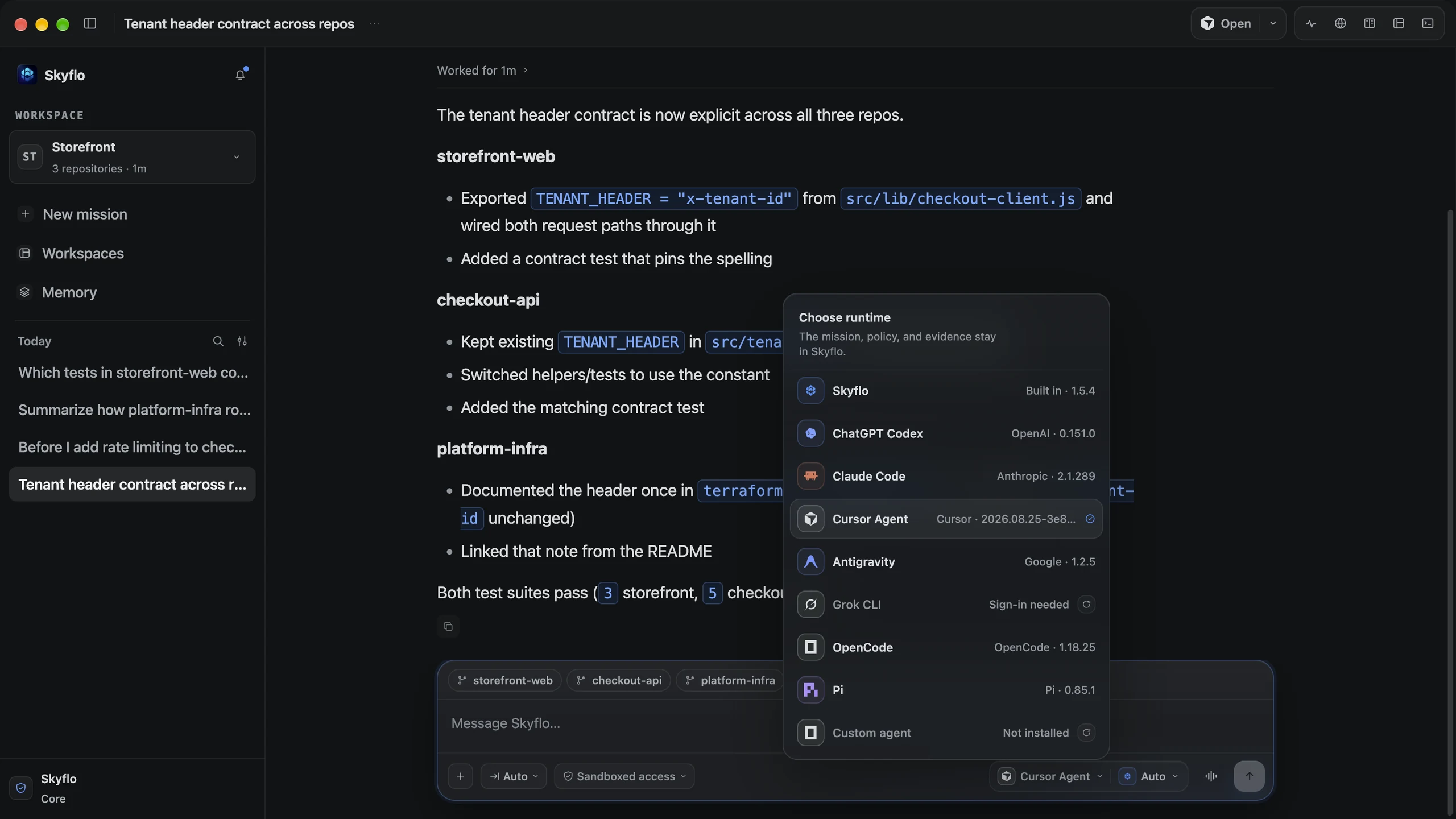
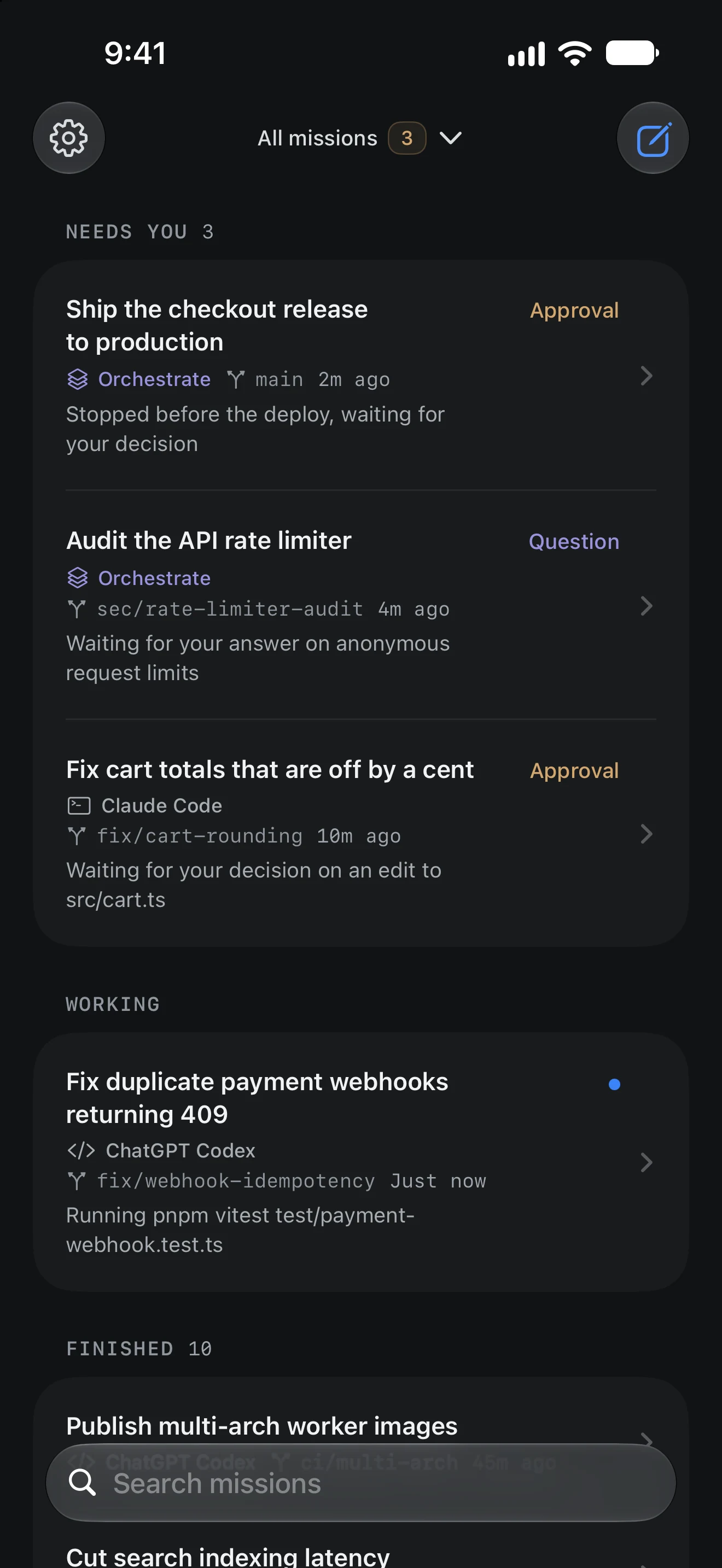
Skyflo for Mac. The iPhone app is a Preview, in App Store review.
Install, sign in free and hand it your first goal. No sales call, no card.
Double-click the .dmg, drag Skyflo into the Applications folder in the installer window, then eject the installer.
Signed and notarized by Apple
Sign in once with a free Skyflo account. Local work keeps going after you sign out.
No card
Skyflo finds Claude Code, Codex and the other agents already signed in on this Mac.
Or add a Moonshot or Z.ai key
Open a folder with ⌘O, start a mission with ⌘N and choose how much the agent can do.
One clear objective is enough
Skyflo picks up the ones signed in on your Mac and runs them in one mission.

Everything you need for real work is on Free. A plan adds models, Voice Mode and Skyflo Cloud.
No card
Monthly plans
Agent subscriptions and model keys you bring are billed by their providers.
Compare plans and pricingEvery release is signed, notarized and published with the SHA-256 of both installers.
Apple silicon
Skyflo-1.6.0-darwin-arm64.dmg · 215.4 MB
774c2ea5fac6880d4e35d6076a2864e21291125b48d49618415efe228eaf4670
Intel
Skyflo-1.6.0-darwin-x64.dmg · 223.6 MB
8e0c57627353904252e9bf2a055594eb624f1e017559bdd94183b771894055ce
shasum -a 256 ~/Downloads/Skyflo-1.6.0-darwin-arm64.dmg
The output should match the digest for your chip.
Every supported agent, Skyflo's own agent with your Moonshot or Z.ai key, missions, Orchestrate, memory, Skills and automations. Managed model access and Voice Mode come with a paid plan. See the plans.
macOS 14 or later, on Apple silicon or Intel.
On your Mac, in your chosen workspace, with each agent's own sign-in. On a paid plan a mission can also run in Skyflo Cloud while your Mac sleeps.
Yes, a free one, to activate the app once. After that, local work keeps going while you are signed out.
Click Download for Mac. If your browser cannot detect your chip, choose Apple silicon or Intel.
The getting-started guide walks through your first mission. The support page covers common fixes and how to reach us. Open support.
Download Skyflo, sign in free and hand it something you need done.
Start free, no card. Agent subscriptions and model keys you bring are billed by their providers.