
Ask anyone who runs operations at an insurance agency what eats their week and you will hear the same answer. A client's application arrives as a packet. Someone opens the carrier's agent portal and types it in, field by field: the applicant, the coverage, payroll by class code, every loss in the last five years, the loss run, the attestation. Then the next client. Then the same client again for the next carrier, on a portal with different screens and the same questions.
None of it is hard. All of it has to be right. It is exactly the kind of work that should be taught once and then handed off, and it is the job we used to film Skyflo 1.8.0. Watch it on YouTube (2 minutes). The film runs on sample carrier portals with synthetic applicants, in one continuous take. Everything Skyflo does in it is the shipped product.
Show it once
The film starts with an ordinary message: "Watch me fill out the new application," with the applicant's packet attached. Skyflo opens the carrier portal in its own browser and starts watching. Karan signs in and fills the five-step commercial application himself, the way he always would, then presses Submit and Done.
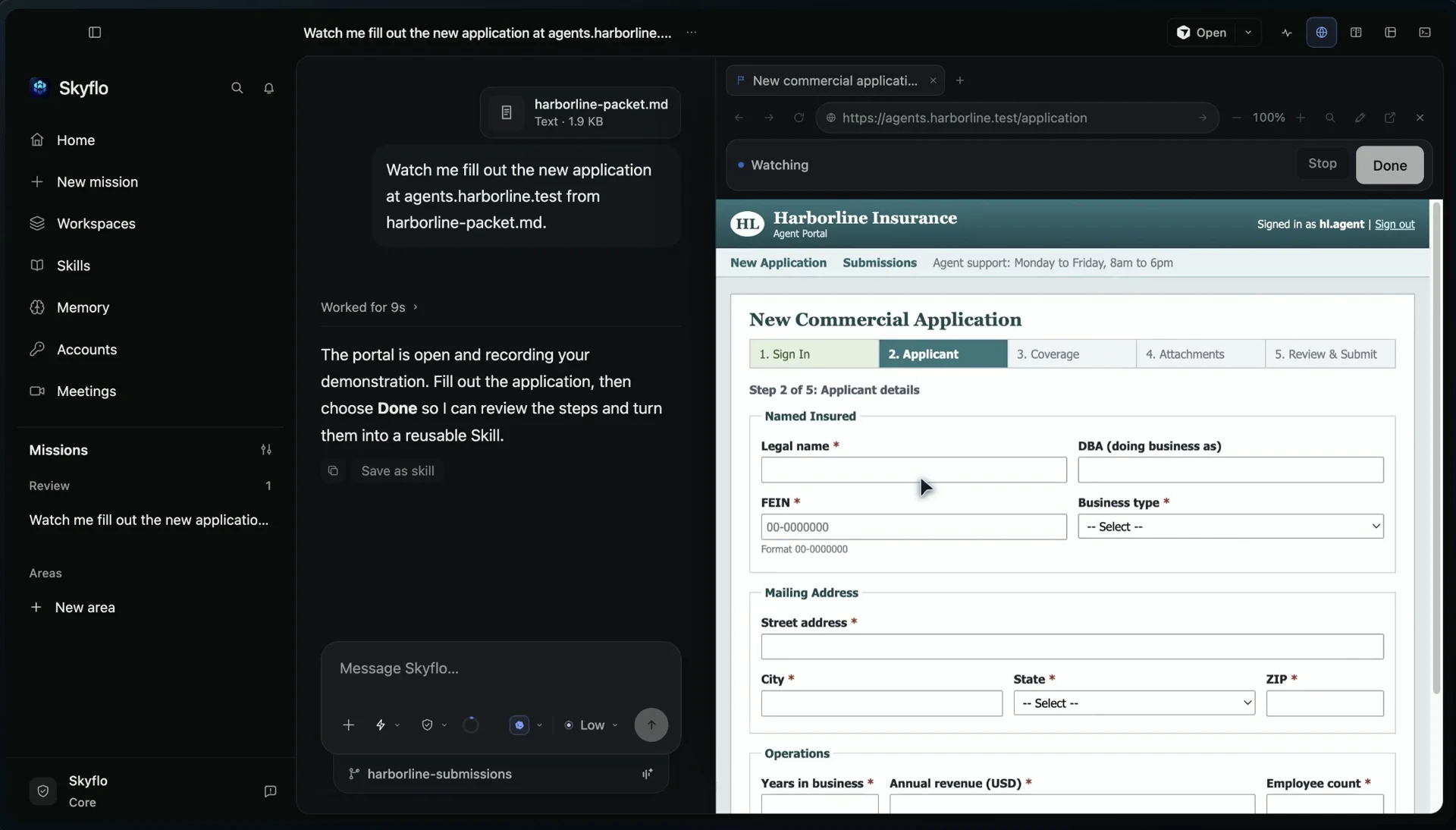
Skyflo does not save a recording of clicks. It turns what it saw into a Skill: the fields and where each value came from, the choices, the documents to upload, what to check before moving on, and which step is final. It names the Skill ("Harborline commercial insurance application", 77 steps) and lists it under Skills. You can also save a mission that went well as a Skill, or attach a document that describes the steps. All three end in the same place.
A Skill learned by watching starts at prepares. It does everything up to the final step and then stops, because the person who taught it pressed the final button themselves.
Hand it the spreadsheet
Next, a new mission: ten applications in a spreadsheet, attached as a file, and one sentence asking Skyflo to run the Skill on every row. Skyflo reads the sheet's contents, maps its columns to the Skill's inputs and starts.
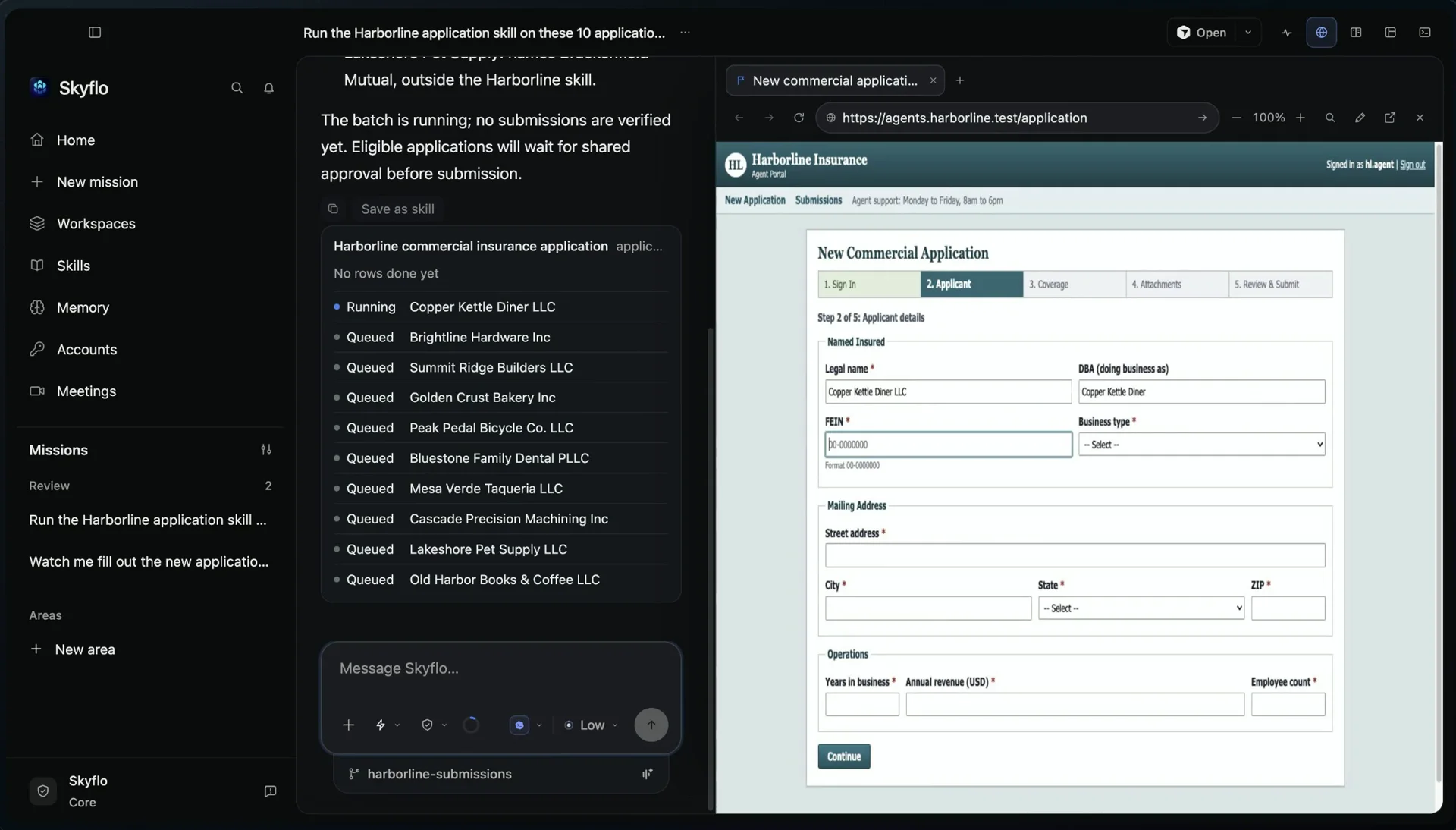
The first row fills in front of you so you can see it working. The others run in their own browser tabs in the background, three at once by default, while you do something else. Each row reasons with its own data rather than replaying a script, which matters more than it sounds. Row four was a California business, and that carrier's California form had renamed one of its fields. Skyflo still filled it correctly.
Two rows did not belong in the batch, and Skyflo said so instead of guessing. Row seven had a blank FEIN, a required field. Row nine was for a different carrier entirely. Both went to Needs you on Home, each with a one-line reason, and neither was entered.
Approve once
The other eight rows filled every step and stopped at the final Submit. Skyflo does not ask eight times. Outside Full access it asks once, for every row that is ready, with the batch in front of you. One click submits all eight. Each row turns Done with its field count and the carrier's reference number.
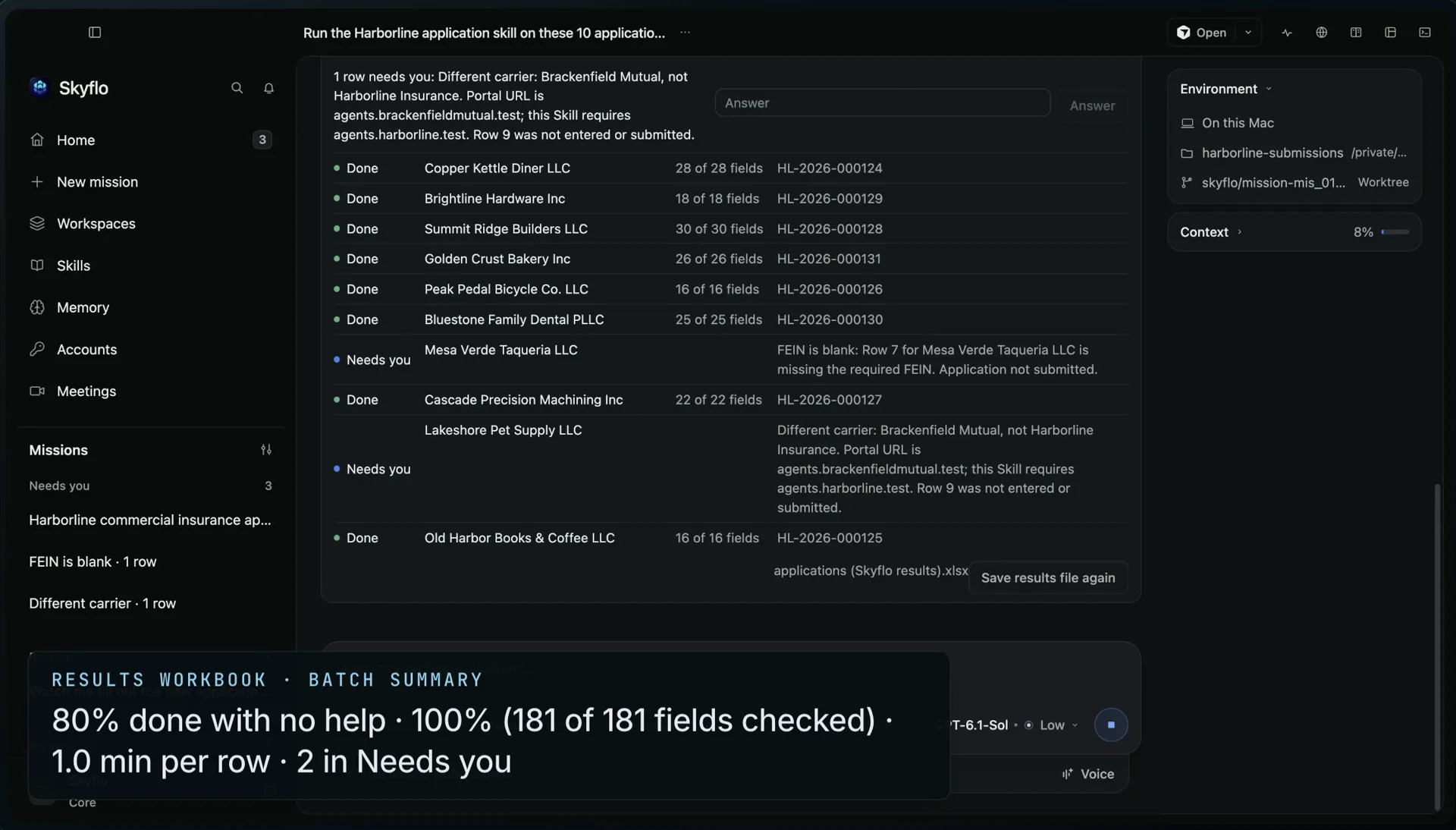
Then Skyflo writes a results workbook for the batch: every row with its status, the carrier's reference, the fields checked and a note. Its summary row, cell for cell, read:
80% done with no help · 100% (181 of 181 fields checked) · 1.0 min per row · 2 in Needs you
After the take, an independent checker compared every submitted field in the carrier portal's own stored records against the source data. Every field matched. No row was submitted twice.
Autonomy the Skill earns
On Home, the Skill now read "Checked clean 8 times", and Skyflo offered to let it submit on its own. That offer is not automatic and it is not permanent. A Skill is offered more autonomy only after three clean runs in a row, where Skyflo's own check confirmed every value. Accept, and the Skill moves to acts: it finishes the final step without stopping. If a later run finds a value that does not match its source, or you reverse something it did, it goes back to preparing.
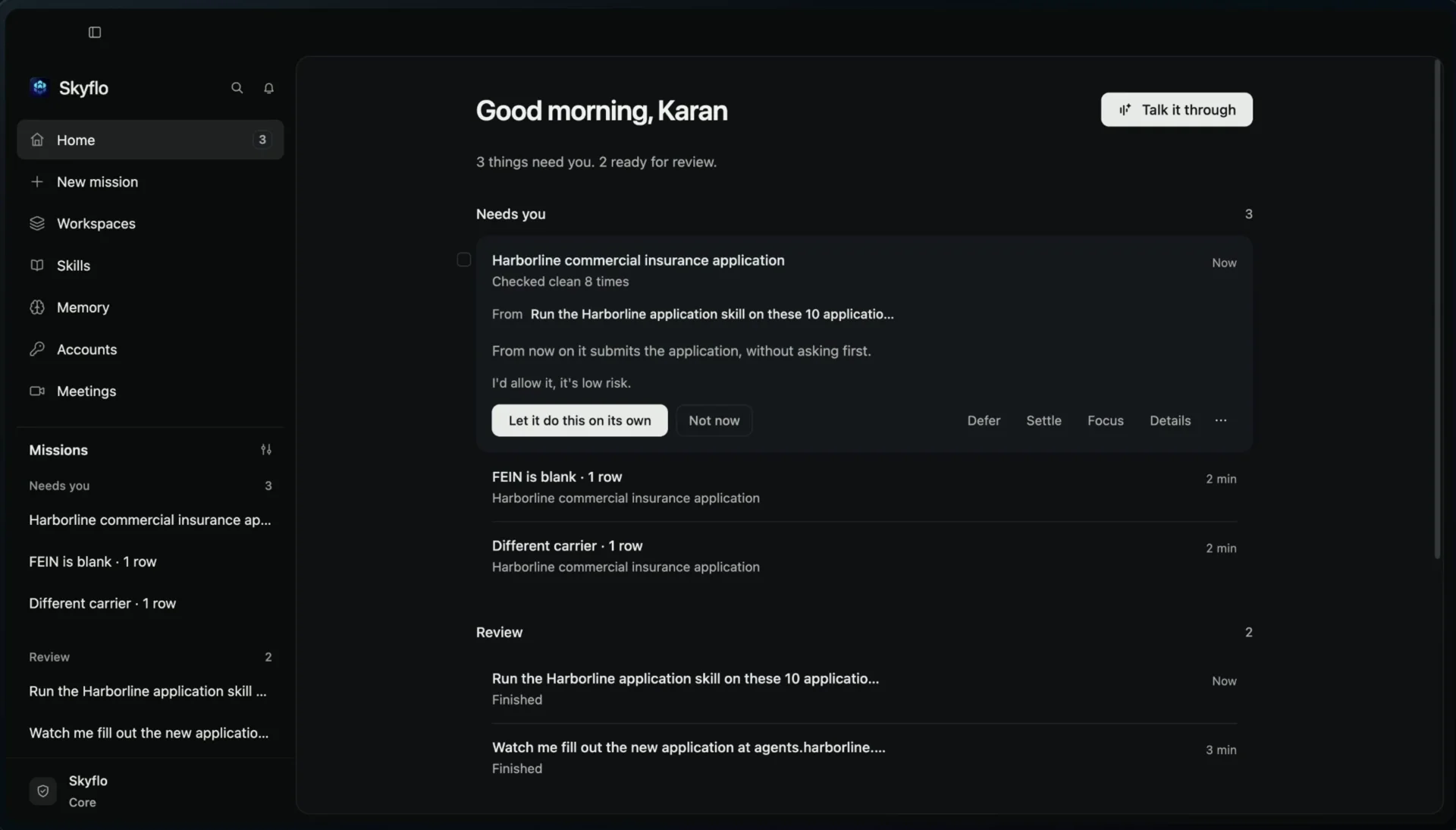
This is the same rule Skyflo applies to areas. New work starts by preparing things for your approval, and earns more room when what it prepared keeps being approved.
Where else it fits
Insurance is one case of a common shape: a website that wants the same information, typed in carefully, once per row of a sheet you already have. The same Skill and batch work for:
- Supplier onboarding: each new vendor from your sheet entered into the supplier portal, with the documents it needs.
- Benefits changes: a month of enrollment changes applied in the benefits administrator, one employee per row.
- Marketplace listings: prices and stock updated on each seller page from one product sheet.
- Status checks: every open claim, order or permit looked up on its portal, with the status written back to your sheet.
Re-running the same sheet recognises rows that are already done, and a batch pauses itself after three failures instead of pushing on.
Try it
- Download Skyflo for Mac and start a mission in a workspace folder.
- Ask Skyflo to watch you, open the website in its browser, and fill the form once. Choose Done.
- Skyflo saves what it saw as a Skill and lists it under Skills.
- In a new mission, attach your spreadsheet and ask Skyflo to run the Skill on every row.
- Answer the rows that need you, approve the ready rows once, and open the results workbook.
The use cases page has the film and more work of this shape. The launch essay, Your AI Chief of Staff, explains the rest of 1.8.0, and the 1.8.0 release notes list every change.