


Your existing access


Your agents keep their own sign-ins. Bring a Moonshot or Z.ai key for Skyflo's own agent on any plan; it stays in your Keychain.
Model keys and supported agentsThe agentic operating system for your company
Give Skyflo a goal. Claude Code, Codex and Cursor work on it together, under limits you set.
Start free. No card. macOS 14+.Agent subscriptions and model keys you bring are billed by their providers.Plans and pricing
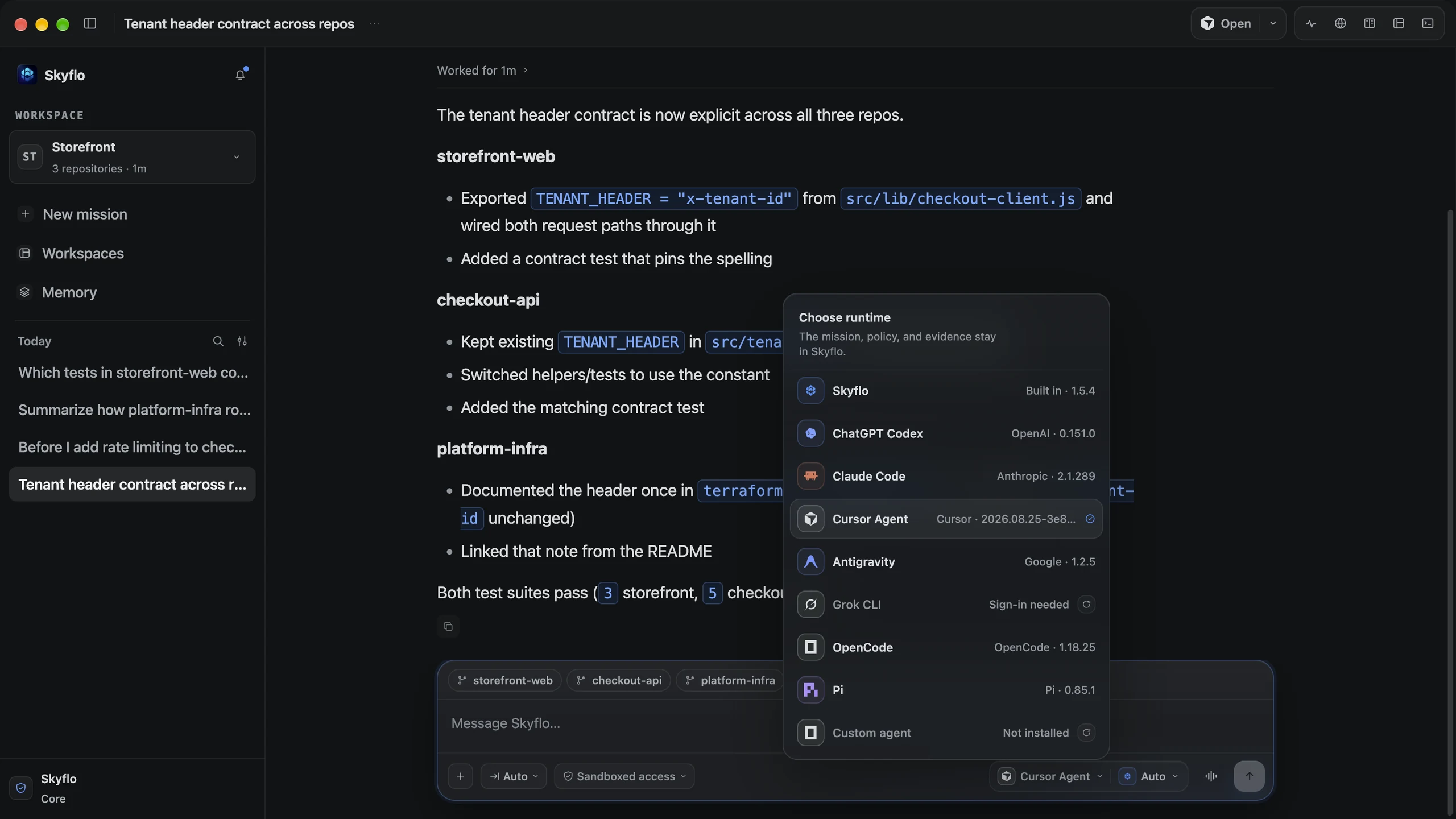
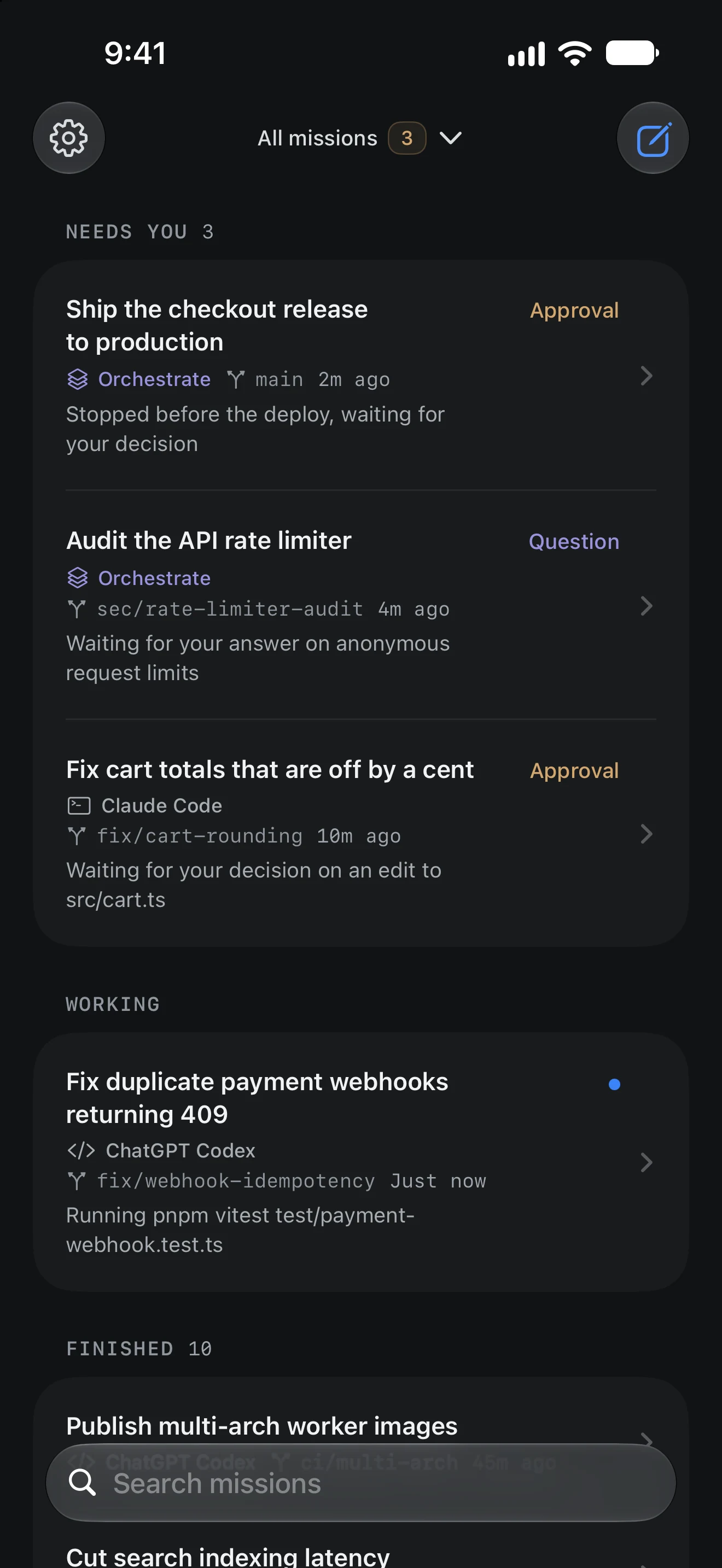
Skyflo for Mac. The iPhone app is a Preview, in App Store review.
Recorded on Skyflo for Mac 1.5.4.
Hand Skyflo what you would give a strong engineer. One repository and one agent are enough.
One feature across frontend, API and SDK, each specialist in its own worktree.
What you get
A change in each repository, the shared contract and the checks that ran.
Exceptions and reasoning carry between passes, so the next agent picks up where the last one stopped.
What you get
Call sites done, every exception listed with its reason.
Plan with one, build with the other. Switch agents between turns in the same mission.
What you get
One mission, one record of which agent did what.
More agents should mean less coordination. Skyflo keeps the goal, context and permissions together as work moves between them.

Skyflo control plane
Holds the mission, whichever agent runs it

Skyflo's own agent
Bring any other ACP agent through a manifest file.
Your agents keep their own sign-ins. Bring a Moonshot or Z.ai key for Skyflo's own agent on any plan; it stays in your Keychain.
Model keys and supported agentsCore, Pro and Max include models, Voice Mode and Skyflo Cloud. No key to bring.
Compare models and capacityUsing them directly or through Skyflo:Claude CodeCodexCursor
Start a mission in Skyflo Cloud, or move one from your Mac. It keeps working while your Mac sleeps.
Included with Core, Pro and Max.
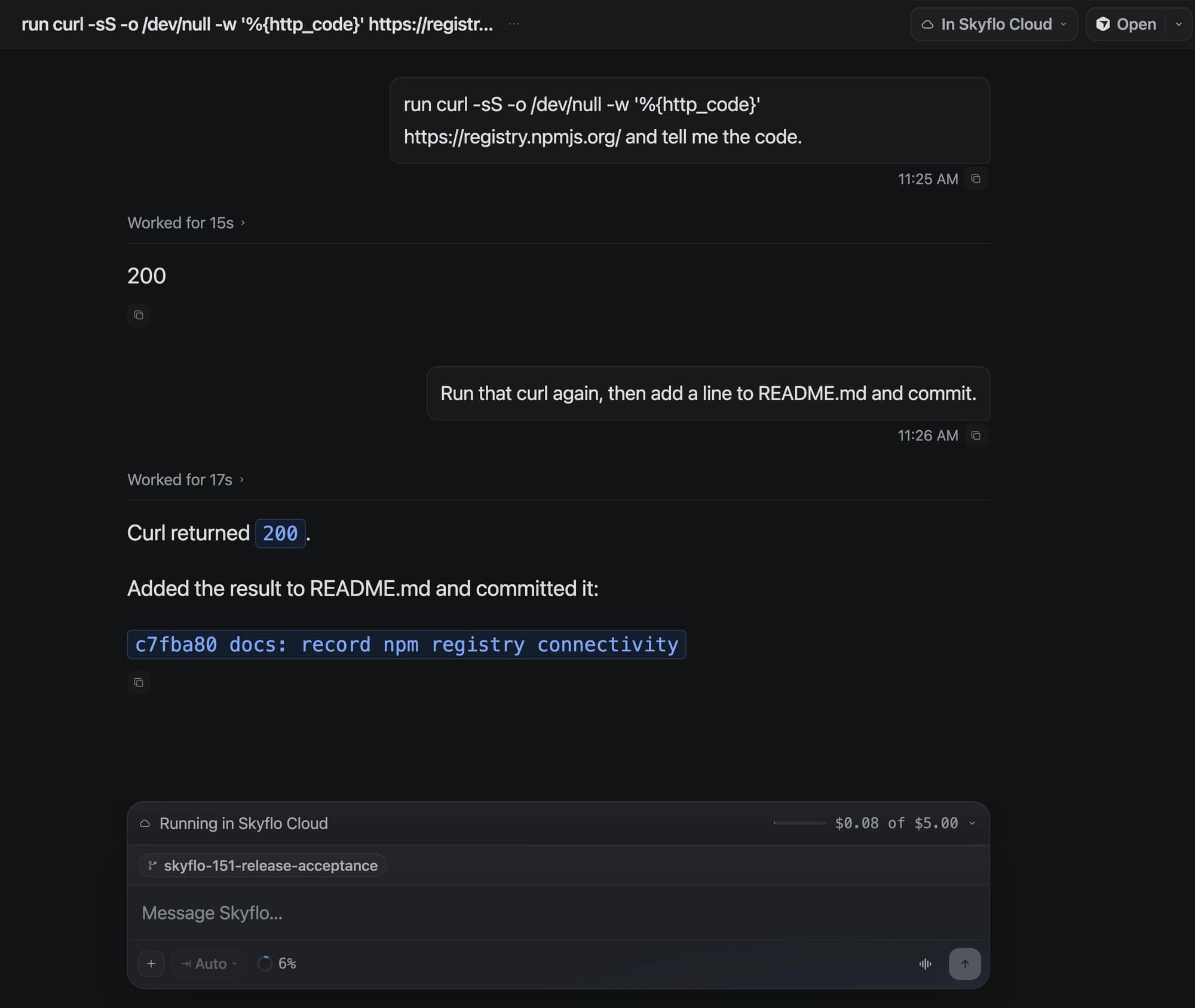
Delegate the whole task or work through it together. It all stays in one mission.
Skyflo's own agent works in a browser and terminal you can see. Step in, then hand it back.
Take over, hand backTalk through a goal, check progress or redirect a mission while it runs.
Core, Pro and Max
See Voice ModeRun work daily, on chosen weekdays or once.
What Skyflo's own agent can useSkyflo keeps what finished work proved and brings it back when the next mission needs it.
Skyflo improves how it improves. It gets better at routing work, and your approvals, credentials and spending limits stay out of its reach.
Conventions you state and commands that worked become memory, linked to their source. Proven sequences become Skills.
Task layer · memory and Skills
Skyflo learns which agent and model fit each task. A change stays only while it keeps winning.
Meta layer · routing, judged on held-out routes
Approvals, credentials, spending limits and kill switches are out of its reach. Only a signed release changes them.
Root layer · changed only by a signed release
Pick an access mode per mission. Every agent follows it, and every decision is recorded.
Access mode
Applies to every agent in the mission
Every command and edit stops and waits for you.
New Auto missions start in Full access and Orchestrate starts in Ask for approval. Change it in the composer before you send.
Work mode
Each specialist writes in its own Git worktree, so parallel edits never collide with yours.
A separate reviewer checks the work and reports findings. It cannot edit a file.
Every permission decision, tool call and finding goes into one append-only record on your Mac.
Use it for your own work today. Bring it to your team when it proves itself.
Install Skyflo, connect an agent you already use and give it a real task.
Free, no card.
We run a pilot with you on your own repositories.
Software comes first because its results are easy to check. Nothing about a mission is specific to code.
Agents run on your linked Mac unless you start or move a mission to Skyflo Cloud. BYOK credentials stay in the macOS Keychain.
Skyflo for teamsWhat your team gets
The agentic operating system for your company, starting with engineering. Give it a goal, and Claude Code, Codex, Cursor or Skyflo's own agent work on it in one mission, under the access you set.
Software work: changes across repositories, migrations and tasks that need more than one agent. Orchestrate runs several agents on one mission and can add an independent reviewer. See the use cases.
No. Skyflo runs them on their own sign-ins, along with Antigravity, Grok CLI, OpenCode, Pi and any ACP agent, and adds one mission, one access mode, a record and memory around the work. Use Codex and Claude Code together.
As much as you allow. Pick Ask for approval, Auto-accept edits, Sandboxed access or Full access per mission, and every agent follows it. Use Plan mode to approve a plan first. How access and approvals work.
On your Mac by default, in your repositories. On a paid plan a mission can also run in Skyflo Cloud and keep working while your Mac sleeps. See the plans.
Every supported agent, Skyflo's own agent with your key, Orchestrate, memory, Skills, automations and GitHub. No card. Core, Pro and Max add included models, Voice Mode and Skyflo Cloud. See the plans.
Yes. Start with a pilot on your own repositories: one objective, two to five engineers and success criteria agreed up front. Book a team demo to plan it. Skyflo for teams.
The goal, plans and approvals, every permission decision and tool call, review findings and what was learned. It stays on your Mac, append-only, each event hash-linked to the one before it.
What finished missions proved, like a convention you stated or a command that worked, linked to its source. Inspect it, remove it or turn learning off. It stays on your Mac.
Yes, up to eight repositories. Each specialist works in its own Git worktree, so parallel edits stay apart until you review them.
Skyflo for iPhone and iPad is in Preview and in App Store review. Once paired, it follows your missions, answers their questions and approves actions.
Oct 03 · 4 min
A mission can begin in Skyflo Cloud without cloning its repository on your Mac first. The useful boundary is the mission: its instruction, branch, work and conversation stay together wherever it runs.
Read the entry
Oct 02 · 11 min
Skyflo 1.5 introduces Skyflo Cloud: a mission moves from your Mac with its history and uncommitted changes, keeps working while the Mac sleeps, and comes back when it is idle. How the handoff keeps one owner at a time, what the machine holds and what it can reach, and what the work costs.
Read the entry
Oct 01 · 4 min
An agent can understand your permission and still reach the wrong execution path. Skyflo 1.5.1 carries the mission's approval policy to the command and file change itself, while messages from other missions keep their own identity and limits.
Read the entry
Looking for the Kubernetes agent? It is a separate Apache-2.0 project, deprecated since October 2, 2026, with its own pages and docs.
Start with something you need done this week. When it works, bring your team.
Start free, no card. Agent subscriptions and model keys you bring are billed by their providers.

